#brainiac #emacs #productivity #system
Every knowledge worker, and especially every leader, needs some sort of a productivity system. This system can be digital, analog, commercial, self-built, text based, image driven etc. What you choose depends on what works best for you and what your mind finds amusing 🙂.
Whatever you choose, it is crucial that you are able to offload your tasks, obligations, notes, etc., very fast into this system and not be worried that the information will be lost. Also this system has to be able to give you an overview of your most important tasks at a glance and surface information when you need it, fast and reliable.
Brainiac started as a way for me to organize my own work: meeting notes with my team, technical reflections, tasks, and the many small but important thoughts that accumulate over the course of real engineering work. Over time, it became a stable personal system that supports both focused technical work and leadership responsibilities, without getting in the way.
In it's core this is a minimal Emacs configuration, built around the great Org-mode, with additional external tools mixed in to build a complete, sustainable, flexible productivity system. As it's built around text files, it can be synced across multiple devices with ease using e.g. Syncthing, Nextcloud, git, etc. It is complimented nicely with mobile apps like Beorg, Orgzly, etc.
The system works reliably with bigger collections of tasks and notes. Currently I have around 100 000 lines of text in it, and searching thru it is a breeze.
Brainiac is not meant to be a polished product. It’s a living system, shaped by everyday use — the kind of system you build when you care about clarity, continuity, and reducing friction in knowledge work. If you use it, feel free to reach out with feedback, ideas, or improvements. Shared practice tends to evolve better than isolated solutions.
I host stable versions of Brainiac on Codeberg.
You can find all Brainiac related blog posts here. Below are some screenshots and videos of Brainiac in action.
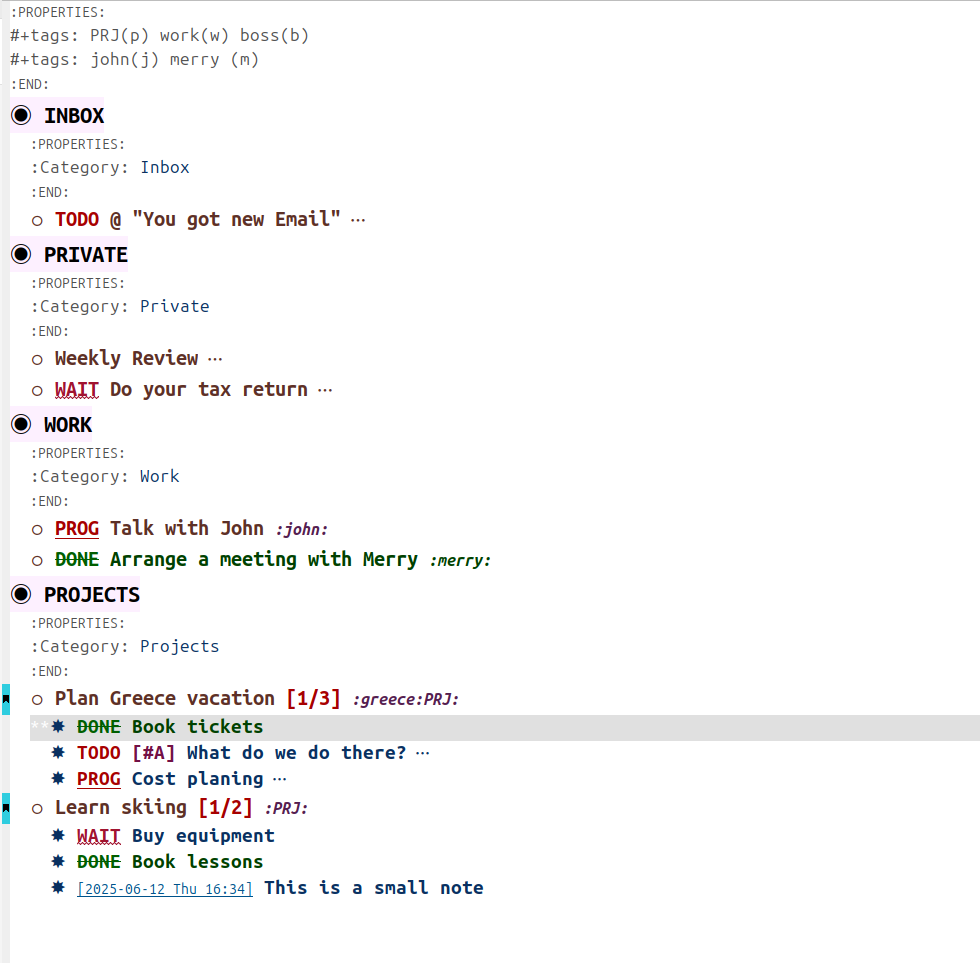
Process of the Weekly Review.
Capturing information for a new project.